Hello Jupyter

Hello Jupyter

Overview

This is my very first Jupyter notebook post for fastpages. I hope this page is built to valid markdown post. To verify build validity, I will test the following topics in this article:

  • Import packages
    • Third-party packages: ex. numpy
    • My own packages: ex. hello_world.py
  • Play wavs
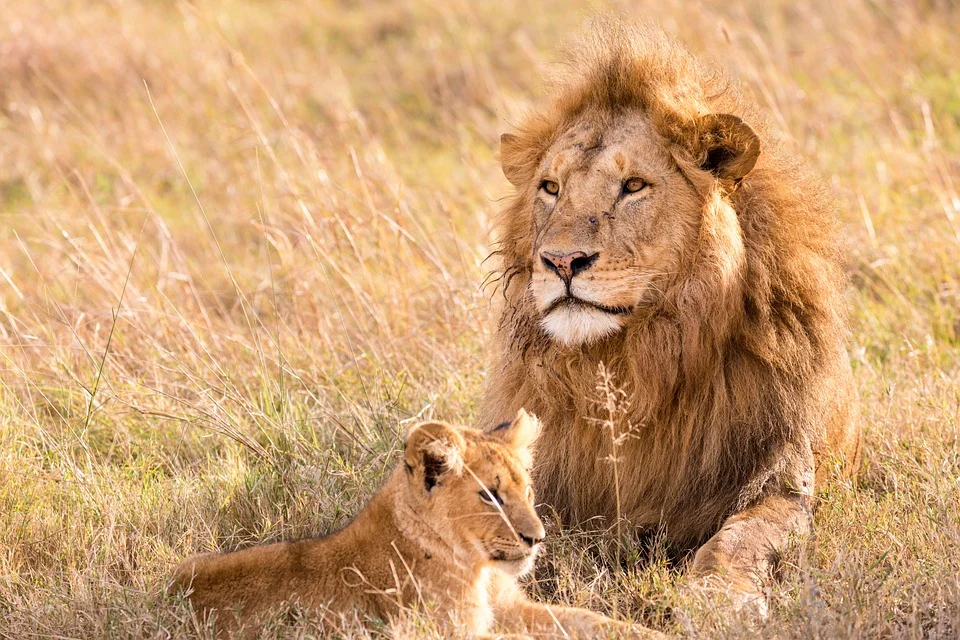
  • Display image

Import Packages

In this chapter, I'll test importing packages. Basically, fastpages provides a build-in Docker image to launch Jupyter Notebook. However, for package manage aspect, it makes cumbersome to expand packages - defining packages in Dockerfile , building it again, and so on.

So, I recommend you not to use the docker image (actually, I removed execution from the docker-compose, see d5930ef756d849dee01cb9e6037972b4fadadab3) Instead of docker image, I recommend to use local Jupyter Notebook and pyenv pairs or Google Colab

Third-party Packages

import numpy as np

np.arange(100)
array([ 0,  1,  2,  3,  4,  5,  6,  7,  8,  9, 10, 11, 12, 13, 14, 15, 16,
       17, 18, 19, 20, 21, 22, 23, 24, 25, 26, 27, 28, 29, 30, 31, 32, 33,
       34, 35, 36, 37, 38, 39, 40, 41, 42, 43, 44, 45, 46, 47, 48, 49, 50,
       51, 52, 53, 54, 55, 56, 57, 58, 59, 60, 61, 62, 63, 64, 65, 66, 67,
       68, 69, 70, 71, 72, 73, 74, 75, 76, 77, 78, 79, 80, 81, 82, 83, 84,
       85, 86, 87, 88, 89, 90, 91, 92, 93, 94, 95, 96, 97, 98, 99])

Custom Packages

!cat hello_world.py
import hello_world
print('-' * 20)
hello_world.say('JSeo')
"""Hello World Library"""


def say(name):
    """Say `hello world` with given name"""
    print(f'hello world {name}!')
--------------------
hello world JSeo!

Play wavs

To play wavs in Jupyter notebook, we can use IPython.display.Audio class.

import IPython.display as ipd
!wget https://file-examples-com.github.io/uploads/2017/11/file_example_WAV_1MG.wav
ipd.Audio('file_example_WAV_1MG.wav')
--2020-12-27 15:09:02--  https://file-examples-com.github.io/uploads/2017/11/file_example_WAV_1MG.wav
Resolving file-examples-com.github.io (file-examples-com.github.io)... 185.199.108.153, 185.199.110.153, 185.199.111.153, ...
Connecting to file-examples-com.github.io (file-examples-com.github.io)|185.199.108.153|:443... connected.
HTTP request sent, awaiting response... 200 OK
Length: 1073218 (1.0M) [audio/wav]
Saving to: ‘file_example_WAV_1MG.wav’

file_example_WAV_1M 100%[===================>]   1.02M  --.-KB/s    in 0.05s   

2020-12-27 15:09:03 (22.2 MB/s) - ‘file_example_WAV_1MG.wav’ saved [1073218/1073218]

Display image

To show image in Jupyter notebook, we can use IPython.display.Image class

!wget https://cdn.pixabay.com/photo/2020/12/03/05/23/lion-5799523_960_720.jpg
ipd.Image('lion-5799523_960_720.jpg')
--2020-12-27 15:13:35--  https://cdn.pixabay.com/photo/2020/12/03/05/23/lion-5799523_960_720.jpg
Resolving cdn.pixabay.com (cdn.pixabay.com)... 104.18.21.183, 104.18.20.183, 2606:4700::6812:14b7, ...
Connecting to cdn.pixabay.com (cdn.pixabay.com)|104.18.21.183|:443... connected.
HTTP request sent, awaiting response... 200 OK
Length: 194358 (190K) [image/jpeg]
Saving to: ‘lion-5799523_960_720.jpg’

lion-5799523_960_72 100%[===================>] 189.80K  --.-KB/s    in 0.02s   

2020-12-27 15:13:35 (12.1 MB/s) - ‘lion-5799523_960_720.jpg’ saved [194358/194358]

comments powered by Disqus